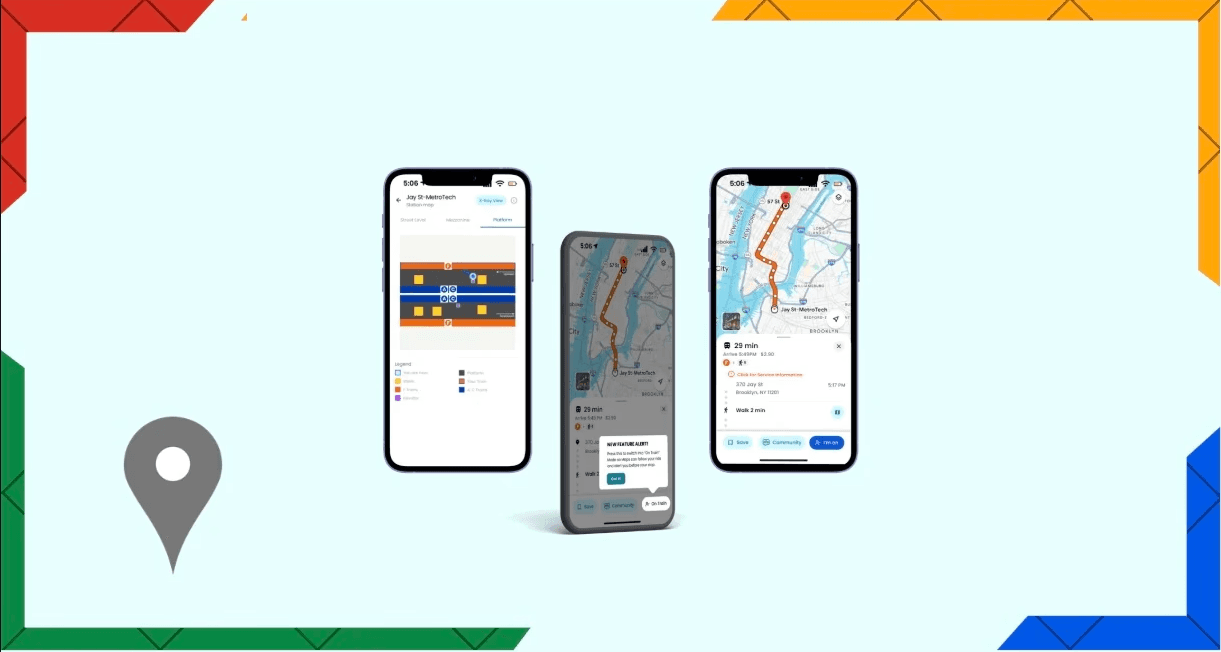
Concept Redesign
UX Design
Research
12 weeks (2025)
Timeline:
My Role:
UX Designer Researcher (Team)
Final Project
type:
Tools:
Figma Figma AI Sketch
Project Background
NYC Subway: One of the largest and most complex transit systems in the world
Commuters and Students: Face challenges with navigation and real-time clarity when schedules demand speed and reliability
Goal: Improve Google Maps’ MTA navigation experience through user-centered research
Problem Statement
Navigating the NYC subway is a fragmented experience due to inconsistent signage (89%) and unreliable real-time digital information (61%). Riders face unclear platform labels, mismatched maps, and apps that miss live service changes or multi-stop planning. These gaps force constant cross-checking, highlighting the need for a unified, real-time, context-aware navigation system.
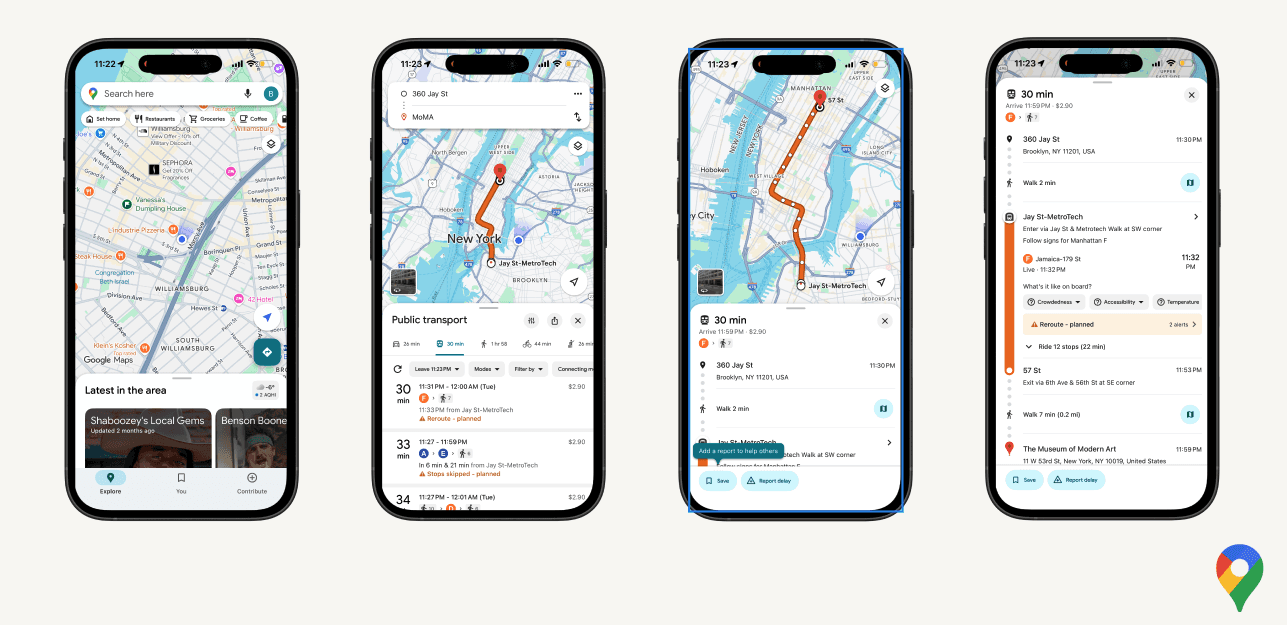
My Process
Secondary Research Findings
68% of newcomers report getting lost within train stations
74% of all riders struggle with inconsistent wayfinding instructions
Real-time system data is not reliable or contextualized for riders already in motion
2.2 billion active users on Google Maps, the most installed navigation app in the United States
Primary Research Methodology
12 total participants (6 new riders, 6 experienced riders)
Semi-structured interviews
Focus on participants’ navigation experiences and their perceptions of the MTA and wayfinding apps
Brainstorming
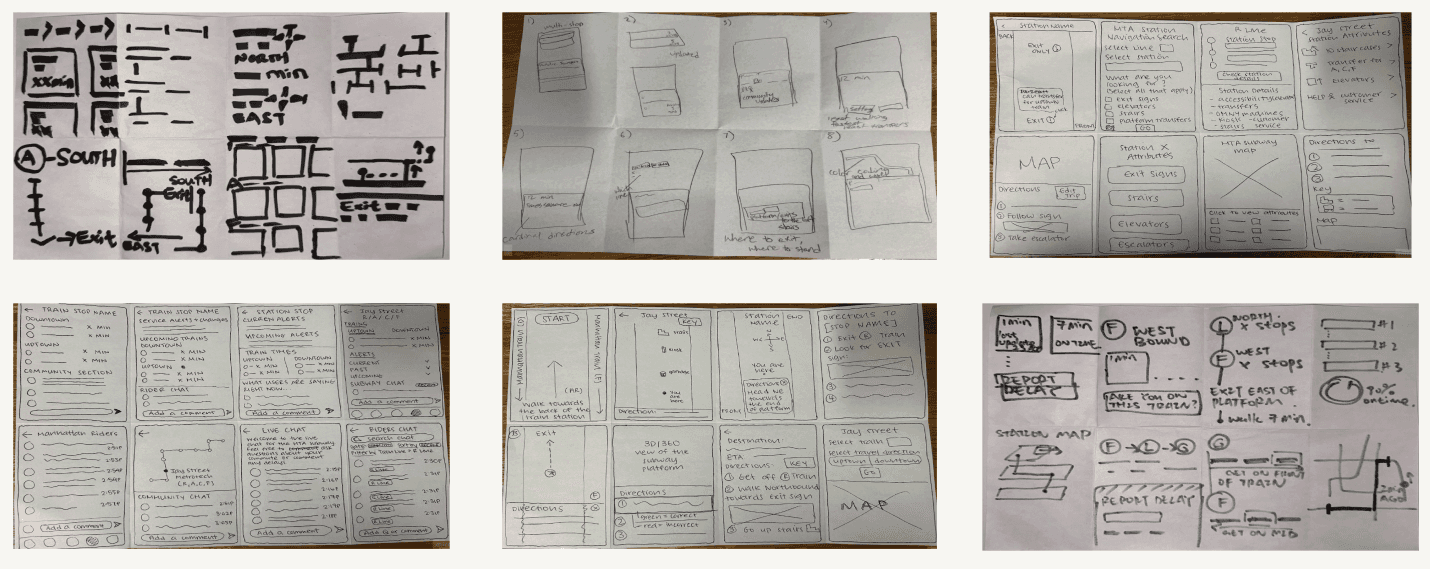
Crazy 8s - Sketches to explore multiple design direction
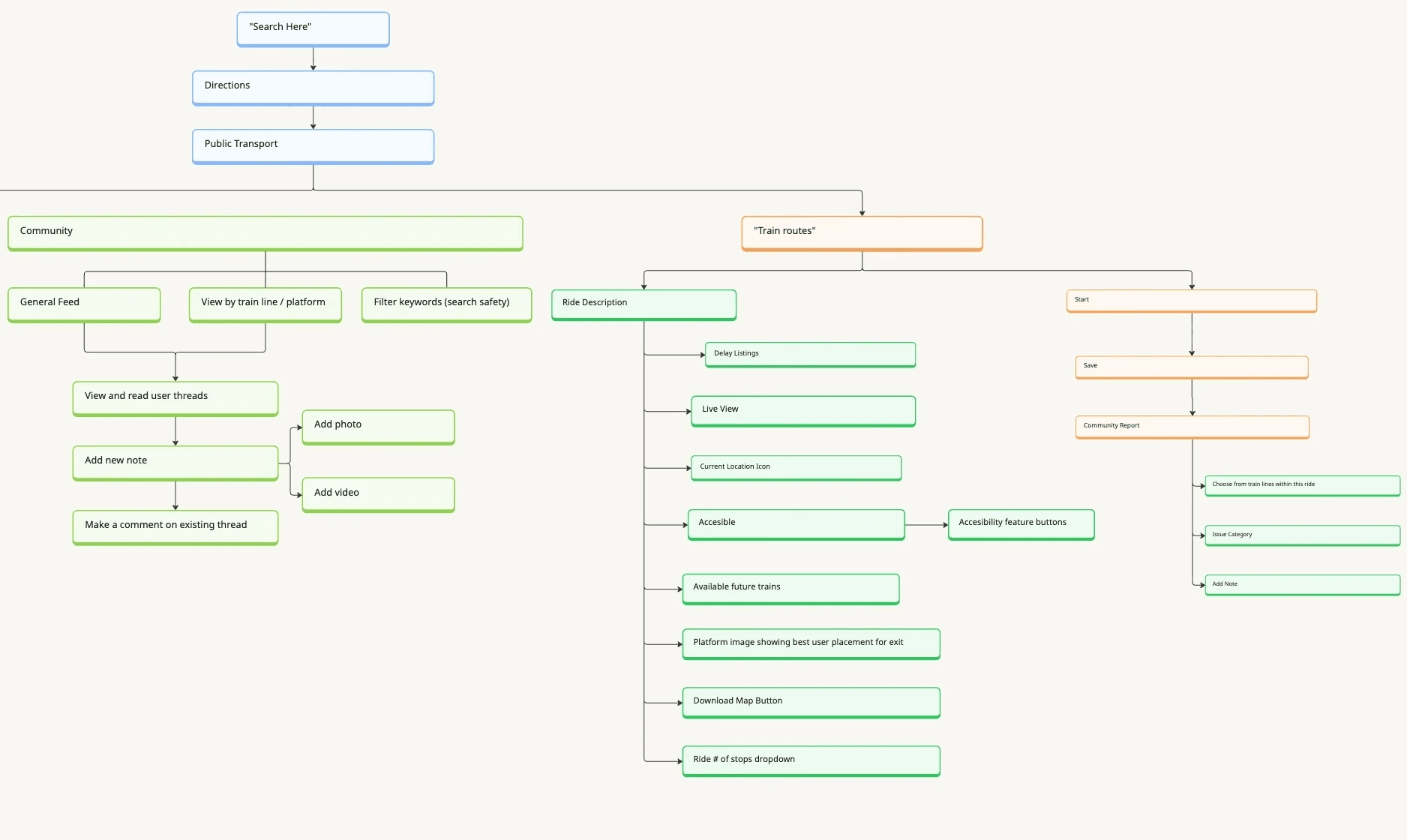
Site Map - Helps clarify Google Maps’ layered navigation while defining clear navigation paths
Task flows - Highlight obstacles in the user workflow and streamline the overall experience
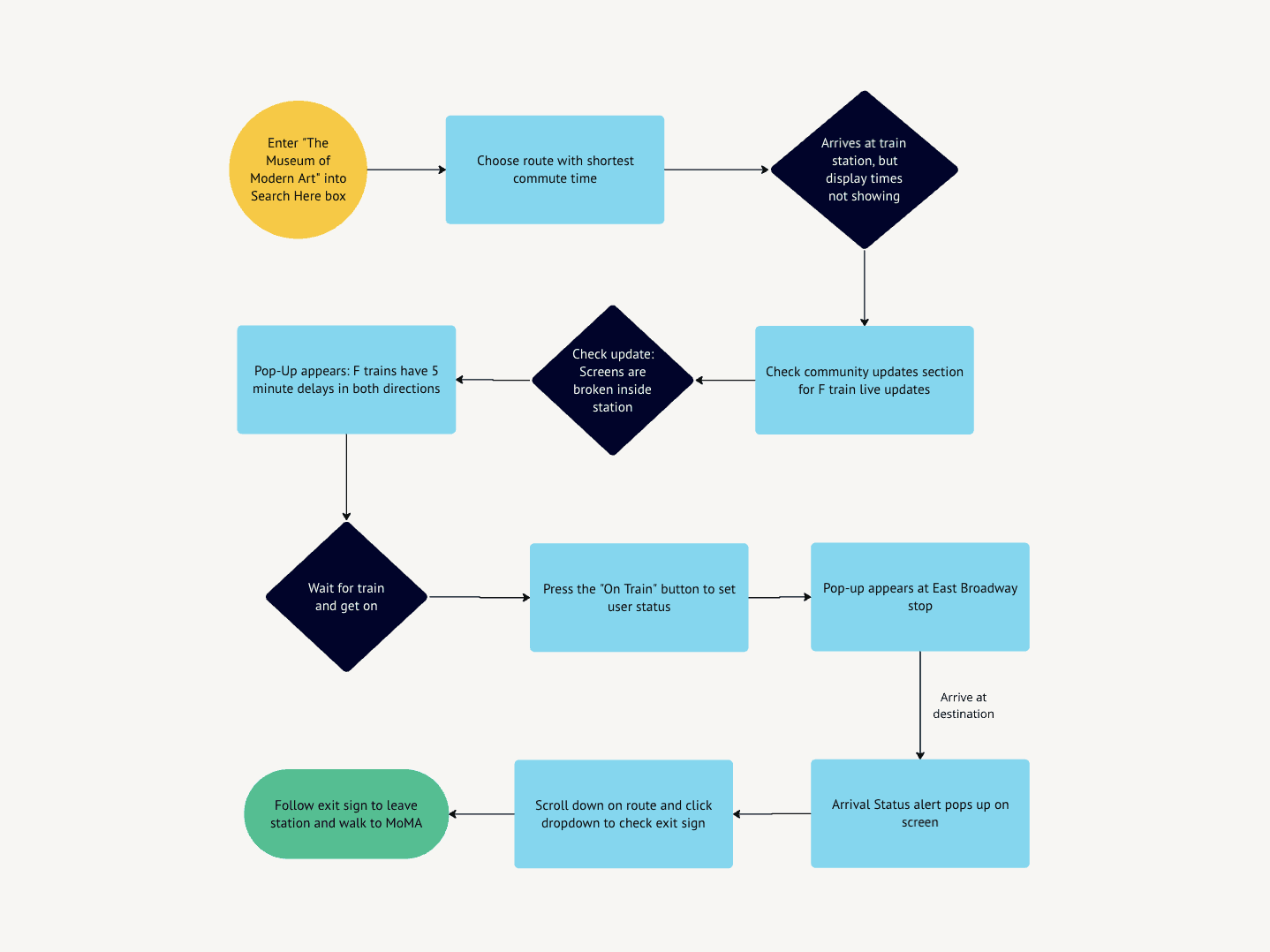
Results & Takeaways
AI Tools
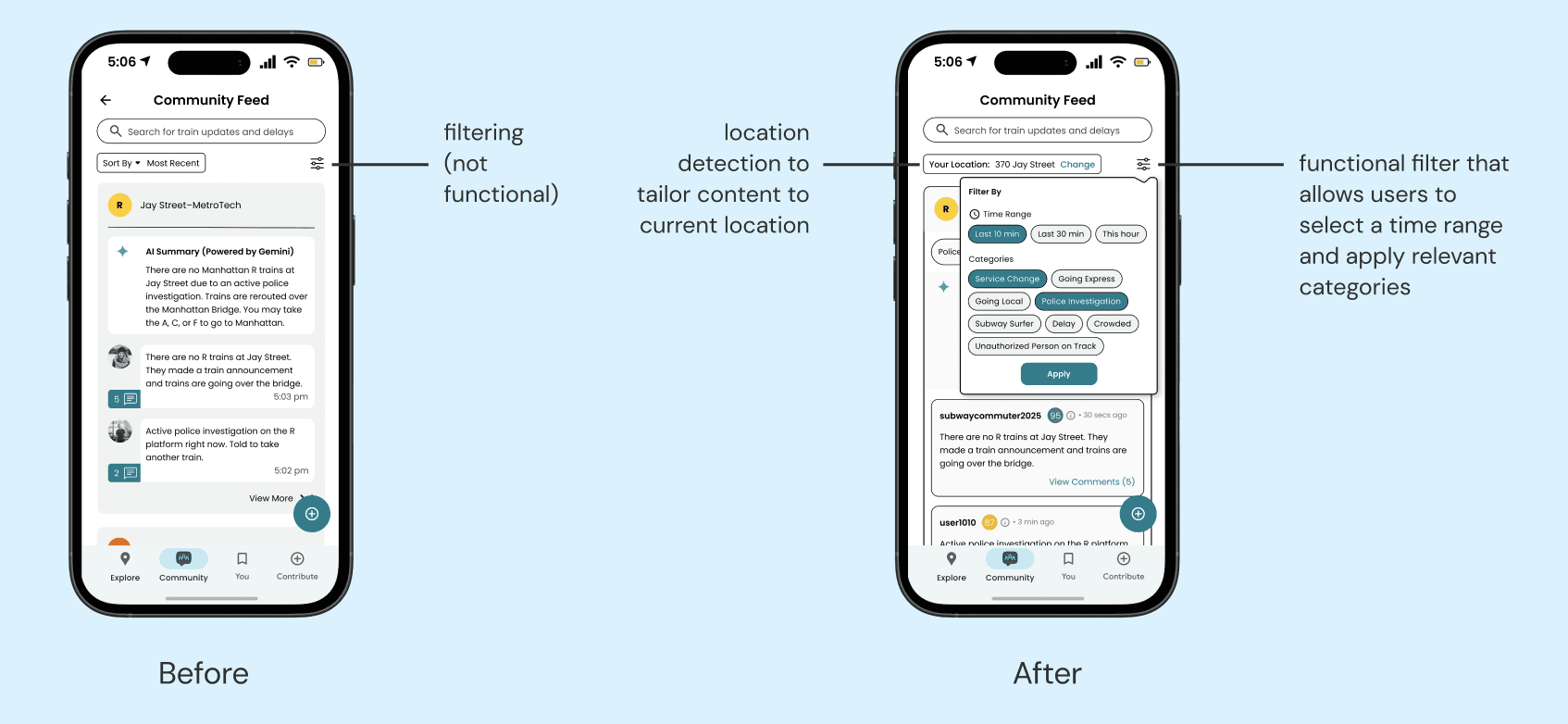
AI was integrated throughout this project from using Claude during iterative design to synthesize research and refine copy, to leveraging Figma AI to accelerate screen building. The final product also featured a built-in AI summary tool for community chats, reducing information overload and helping users stay informed at a glance.
Feature Solutions
Community Updates/AI Summary - Create a community chat to provide and access real-time data from active riders with a simplified AI summary section for convenience
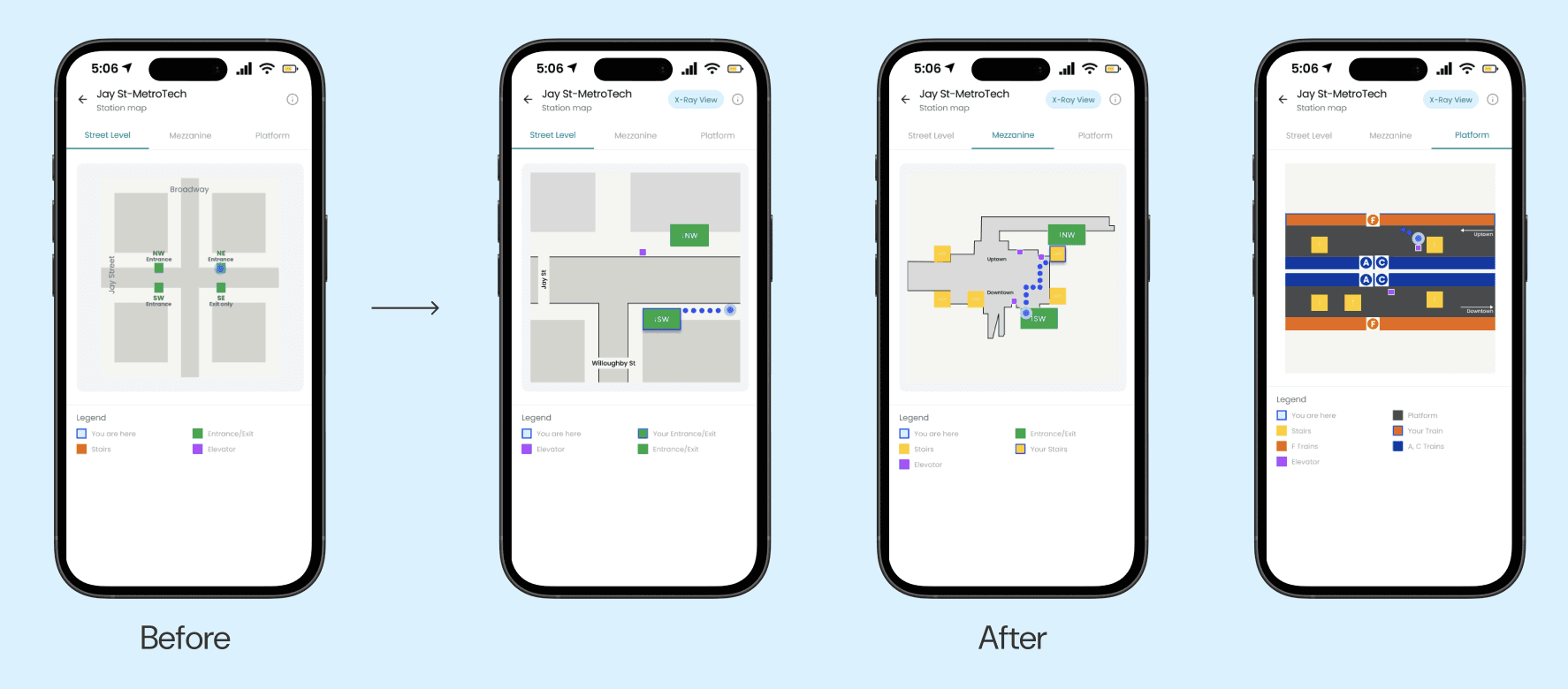
Schematic Station Map - In station and street view maps for clearer wayfinding
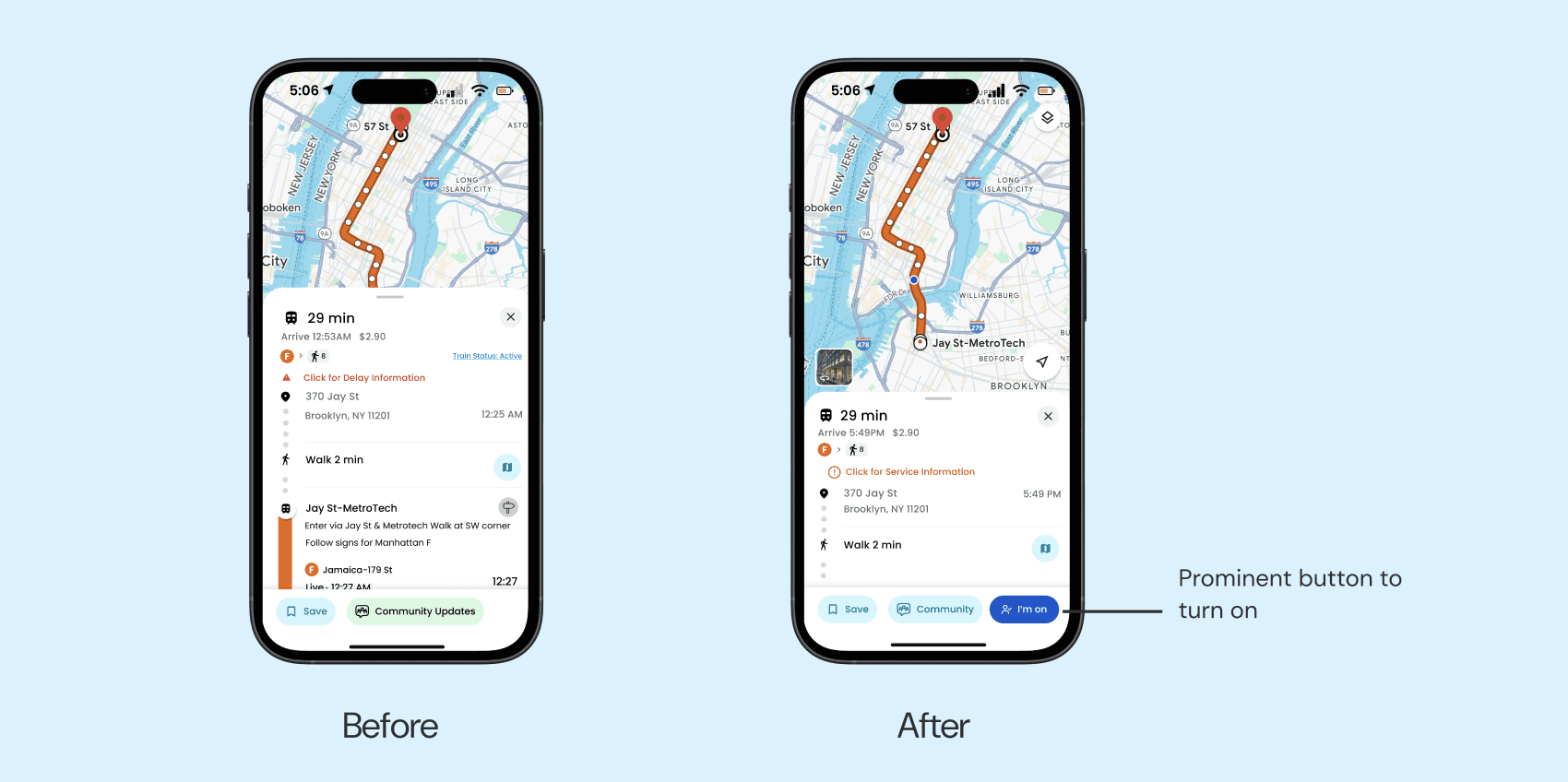
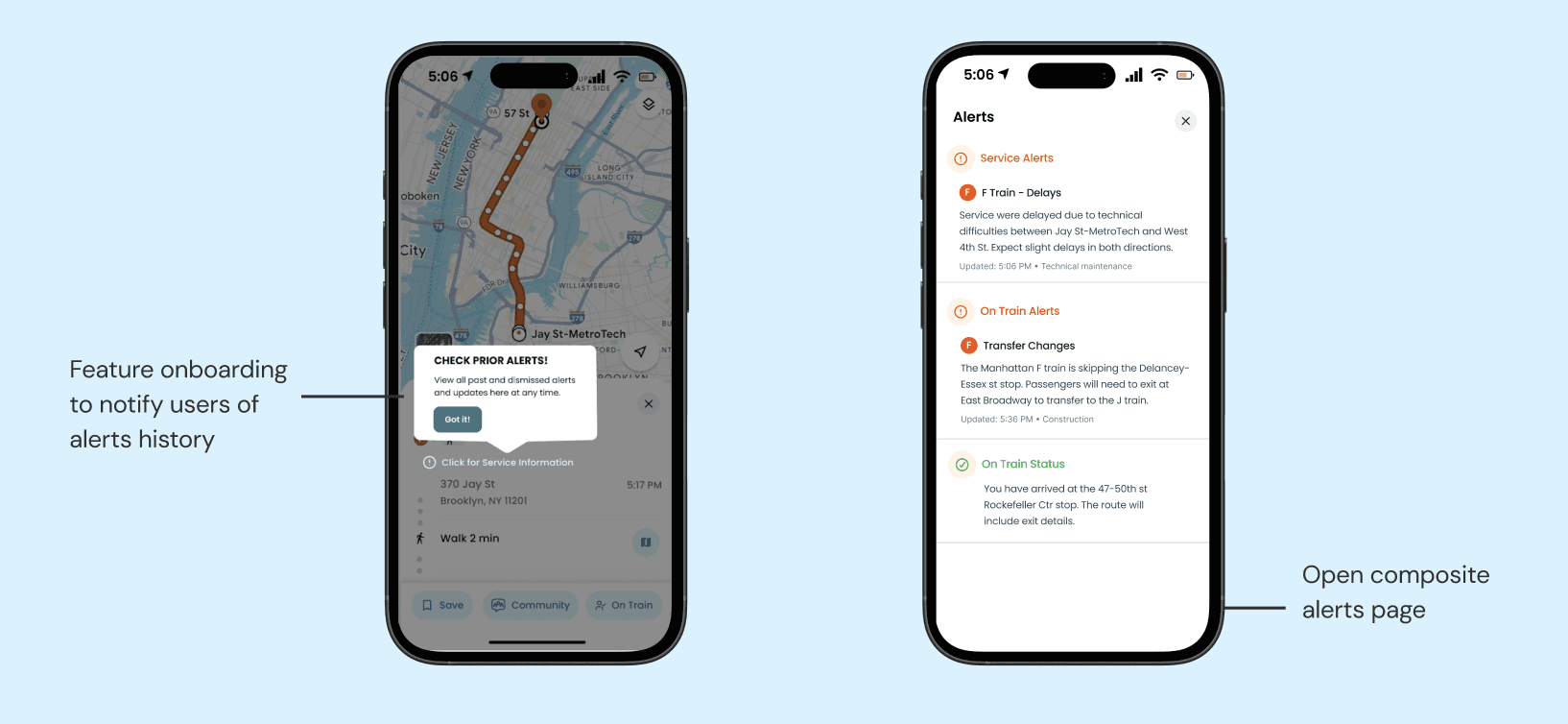
On Train & Route Alerts - Set user status to “on train” to receive train alerts as well as real-time service alerts
Pop-Up Alerts - Provide onboarding alerts for feature clarity
Challenges
Establish Design and Team Strategies Early: Define design guidelines and styles from the start to ensure consistency across screens, while coordinating strategies maintain a more unified approach
Prioritize Key Features for Maximum Impact: Focus on a few core features rather than spreading efforts across many smaller ideas, allowing for higher-quality solutions
Next Steps
Multi-Modal Updates: Expanding our design beyond the subway to include bus and rail enables users to receive timely, relevant updates across all transit modes for a smoother commuting experience
Sensory Feedback: Adding haptic and audio feedback to better support accessibility needs
Inclusive & Evolving Design: Refine user personas and revisit usability insights to ensure the interface accommodates a wide range of user needs and behaviors, such as incorporating more widely spoken languages